Living on a YubiKey
Three hardware keys hold my second factor, my SSH identity, and the signature on every commit. Two live on me, one waits in a drawer. Here is why a security key is the 2FA I actually trust, and everything I put behind a touch.
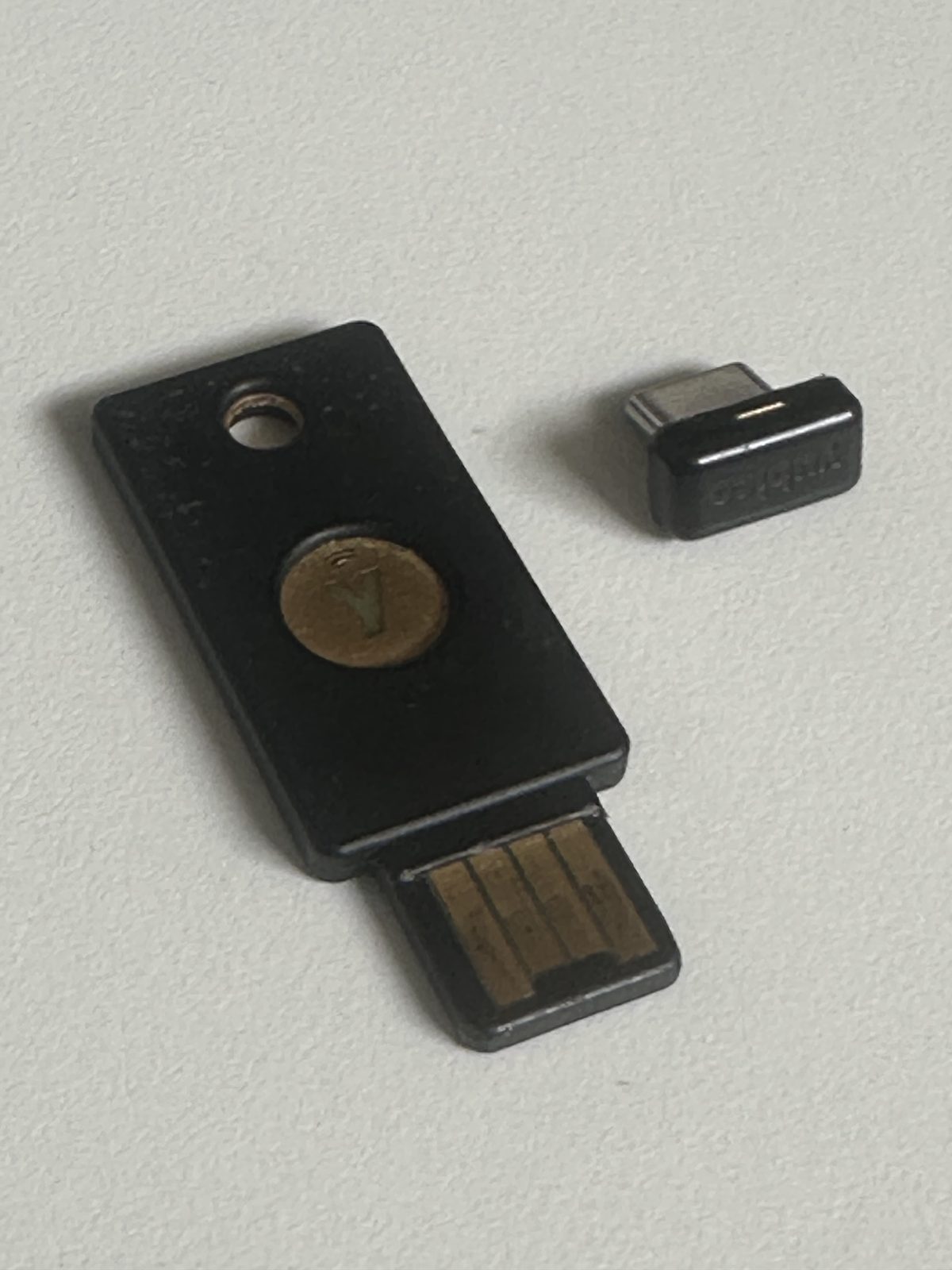
What a security key actually is
A security key is a small piece of hardware that proves who you are with a secret that never leaves it. Mine are YubiKeys: the black fob on the left is a 5 NFC that lives on my keychain, and the little stub on the right is a 5C Nano that stays in my laptop. What makes them different from an authenticator app is not convenience, it is that they cannot be phished.
The mechanism is FIDO2 and WebAuthn. When I register a key with a site, the key generates a keypair, keeps the private half locked in its secure element, and hands the site only the public half. To log in, the site sends a challenge; the key signs it, but only after checking that the request really came from that site's own domain, and only after I touch it to prove a human is present. A fake login page on a look-alike domain gets a signature that is worthless, because the key refuses to sign for the wrong origin. There is nothing to type, so there is nothing to trick me into typing.
That is the whole difference. A one-time code from an app or an SMS is a secret you read off a screen and type in, which means a convincing enough fake page can ask you for it and relay it in real time. A security key never reveals anything you could hand over. It is the strongest second factor a person can carry, and it is the one I put in front of everything that matters.
Everything behind a touch
So everything that supports it gets a key. Every account with a FIDO2 or passkey option, my email, GitHub, the cloud providers, my password manager, the domain registrar, has both active keys registered, increasingly as passkeys, so the key is not just the second factor but the whole login. Registering two keys per account is deliberate: if one goes missing, the other still gets me in, and I revoke the lost one.
The gaps are the services that still only offer app-based codes. For those I do not use a phone app; I load the TOTP seed into the YubiKey itself with the Authenticator app, so even the fallback second factor lives on the hardware and needs the key present to generate a code. The phone is never the thing standing between me and my accounts.
SSH, with no key on disk
The same key is my SSH identity, and this is where it stops being about logins and starts protecting the machine. A normal SSH key is a file sitting in ~/.ssh; anything that can read that file, malware, a leaked backup, a borrowed laptop, has my identity. A FIDO2-backed SSH key removes the file. The private key is generated on the YubiKey and physically cannot be exported, and every connection needs a touch, so a compromised machine cannot use my identity without the hardware in my hand.
# A FIDO2-backed SSH key: the private half is created on the YubiKey and
# cannot be exported. Resident, so it can be pulled back onto a new machine.
ssh-keygen -t ed25519-sk -O resident -O verify-required

# On a fresh laptop, load the key handles straight off the YubiKey:
ssh-keygen -K
I make the keys resident, so they live on the YubiKey rather than as a handle on disk, and onboarding a new machine is plugging the key in and running ssh-keygen -K. The verify-required flag adds a PIN on top of the touch. Yubico's SSH guide covers the full setup, including the PIV route for teams with existing PKI.
A signature on every commit
The last thing the key does is prove I wrote what I pushed. The YubiKey's OpenPGP applet holds a signing subkey, with the master key kept offline, and git is told to use it. From then on every commit is signed by a key that lives in the hardware, GitHub shows them as Verified, and the commits behind this very site are signed exactly this way.
# The signing subkey lives on the YubiKey; git just points at it.
git config --global user.signingkey 0xC0FFEE...
git config --global commit.gpgsign true
git config --global gpg.program gpg

# Every commit now asks for a touch, and shows up as Verified.
git commit -m "..."
Because signing happens on the card, forging a commit as me would mean holding the physical key and knowing its PIN, and I set the key to require a touch for every signature, so nothing signs quietly in the background. Yubico's Git signing guide walks through generating the subkey and the config.
Three keys: two active, one in a drawer
There are three because a single hardware key is a single point of failure, and the whole point is not to be locked out. Two are active: the 5 NFC on my keychain and the 5C Nano that stays in the laptop, so whichever device I am at, a key is already there. The third is a backup, registered on every account alongside the other two and then stored offline, away from both. If a key is ever lost, I revoke it everywhere and carry on with the spare, having lost access to nothing. Keeping a spare for the things that matter is ordinary sense; account access is one of them.
The friction is the point
There is a cost to all this: I touch a small piece of metal a dozen times a day, to log in, to ssh, to commit. That friction is not a downside, it is the feature. It means every one of those actions required something only I have, physically present, in that moment. A phished password, a leaked key file, a token lifted off a compromised machine, none of them are enough on their own. For a couple of taps a day, my accounts, my servers, and my commit history all sit behind something that cannot be copied, and that trade has never once felt like a bad one.